QR4 min
QR Codes: Content, Errors, and Scanning
Understand static QR payloads, error correction, quiet zones, sizing, privacy, and how to verify a code before printing it.
Read more→Free color picker tool: convert between HEX, RGB, HSL & CMYK instantly. Generate color palettes, check WCAG contrast ratios & copy CSS codes. 100% browser-based, no sign-up.
Processing: local in your browser
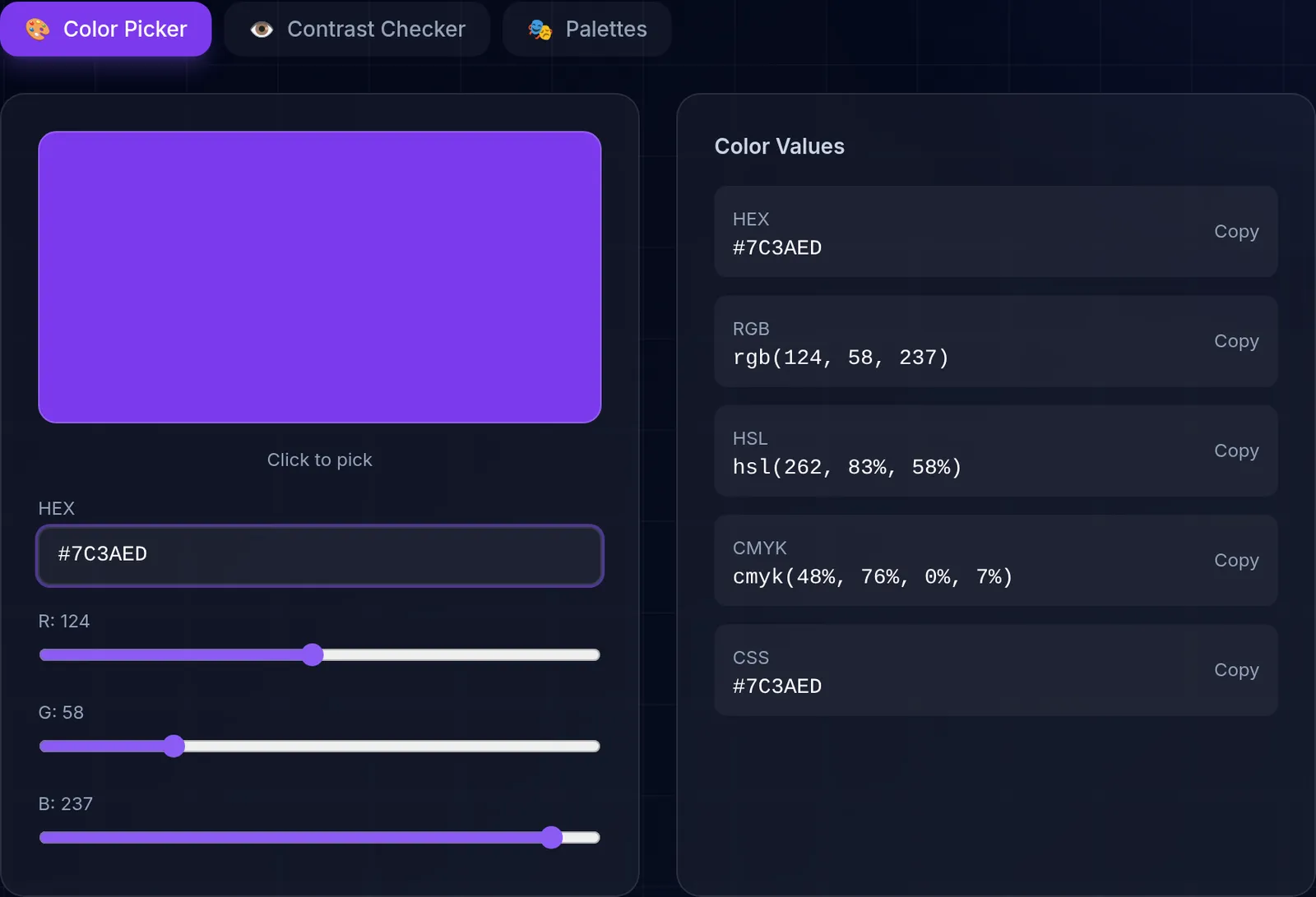
Our color picker lets you work with any color format used in web and graphic design. Convert colors between HEX, RGB, HSL, and CMYK instantly, generate harmonious color palettes based on color theory, check WCAG contrast ratios for accessibility, and copy ready-to-use CSS codes for your projects.
HEX uses hexadecimal notation (#FF5733), the most common format in CSS and web design. RGB defines colors with Red, Green, and Blue values (0-255), the native model for digital displays. HSL describes colors by Hue (0-360), Saturation, and Lightness (0-100%), a more intuitive model for color adjustments. CMYK is used in professional printing, defining colors with Cyan, Magenta, Yellow, and Key (black).
Generate harmonious color palettes automatically: complementary, analogous, triadic, and more. Each palette is based on color theory principles to ensure visually pleasing combinations. Ideal for designing interfaces, branding, and marketing materials.
WCAG 2.1 guidelines require a minimum contrast ratio of 4.5:1 for normal text and 3:1 for large text. Our tool automatically calculates these ratios and shows whether your color combination meets AA and AAA levels. Building accessible designs is not just good practice - it is a legal requirement in many countries.
All three formats describe the same on-screen color, so the choice comes down to convenience. HEX is compact and common for fixed brand colors. RGB, and especially RGBA, is useful when you need to control transparency with the alpha channel. HSL is the most intuitive for tweaking a color by hand: changing only the lightness or saturation lets you generate lighter or darker variants of the same hue without recalculating everything. Our tool gives you all three so you can copy whichever fits your stylesheet best.
Screens mix light with RGB, while printing combines inks with CMYK, and each model can represent colors the other cannot reach. That is why a highly saturated color that glows on screen may look duller in print. The CMYK values this tool shows are an approximate guide: for exact print work, the color profile and the provider's proofs take precedence over any automatic conversion.
Learn more with related in-depth guides and tutorials.
Understand static QR payloads, error correction, quiet zones, sizing, privacy, and how to verify a code before printing it.
Read more→Compare PNG, JPEG, WebP, and AVIF tradeoffs, understand browser-side re-encoding, and choose settings using repeatable visual checks.
Read more→Click to pick
#6366F1
rgb(99, 102, 241)
hsl(239, 84%, 67%)
cmyk(59%, 58%, 0%, 5%)
#6366F1